Next: MESHING OPTIONS NODE Start_node Up: MESHING OPTIONS Previous: MESHING OPTIONS LOCK Part
Next: MESHING OPTIONS NODE Start_node
Up: MESHING OPTIONS
Previous: MESHING OPTIONS LOCK Part
This command controls the calculation of the position of mid-side nodes.
| Control | Comments |
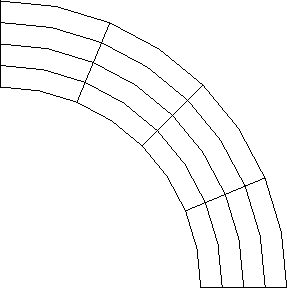
| MAPPED | all mid-side nodes will be subject to mapping on to the actual shape of |
| the surface. This is the default, and should be used for shells and solids, | |
| but is not actually necessary for swept or projected surfaces where all the | |
| generated nodes will automatically be placed on the surface. | |
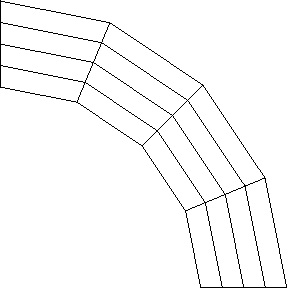
| EXACT | all mid-side nodes will be placed exactly half-way between the corner |
| nodes. | |
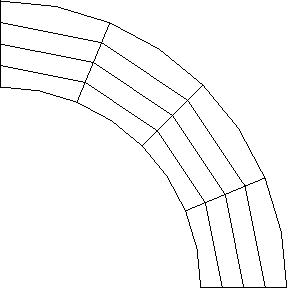
| ON-LINE | mid-side nodes on the bounding geometric lines of a surface will be |
| placed on the actual bounding lines, but the internal mid-side nodes | |
| (ie those not on bounding geometric lines) will be placed on straight | |
| lines joining the corner nodes of elements. This is useful in 2-D when | |
| the internal mesh is distorted because of topological rather than | |
| geometric considerations. |
Examples:
Specifies that all mid-side nodes will be subject to mapping on to the actual shape of the surface.
See also the following commands
Femsys Limited