Next: Start-up file Up: Customising FEMGV Previous: Environment Variables
Next: Start-up file
Up: Customising FEMGV
Previous: Environment Variables
The FEMGV supports a form of Resource Management which offers an alternative way of customising the appearance and behaviour of the program.
Resource/Value pairs can be specified either on the command line used to invoke FEMGV or in resource files.
<ID>.<program>.<class>.<resource><separator><string>
where
| <ID> | is the string Femsys |
| <program> | is the program or module name - femview, femgen, femgv |
| <class> | is the class name for class dependent resources |
| <resource> | is the resource name |
| <separator> | is <whitespace>:<whitespace> |
| <whitespace> | is <spaces>|<tabs> |
Wildcards, *, are allowed where sensible, and any lines beginning with # are treated as comments.
For example, consider the following resource file:
   #
   # This is the Global Resource File for FEMGEN/FEMVIEW
   #
   # Produce Monochrome output for the LaserJets
   Femsys.*.HPGL2.Monochrome      :       true
   # Use Courier Oblique font for
   # Large Characters on Postscript Printers
   Femsys.*.Postscript.LargeFont   :       Courier-Oblique
   # End of File
Note the use of comments and that the <program> field is a wildcard.
An example resource file, femsys.ini, is included in the software distribution.
When FEMGV needs to find a value for a resource it will look in several locations, as detailed below:
femgv -Geometry 700x500
indicating that you require an initial window size of 700x500.
Since resource files will be re-read each time a DRAWING SAVE PLOTFILE is issued, it is possible to change the contents whilst FEMGV is executing.
Users of the X Windows system will no doubt recognise the similarity between the FEMGV resource manager and that provided by X Windows; indeed the system has been designed so that you can simply insert the FEMGV resource specifiers into your existing .Xdefaults file.
At first glance, this may seem unnecessarily complex! However, it is really quite straightforward and does allow for site-wide defaults which may be overridden at either a user or project level. For example, the System Administrator may decide that a sensible default for the HPGL/2 plotter driver is monochrome output since most of the HPGL/2 capable printers on site are LaserJet IV. So, he creates a Global Resource file, femsys.ini
   #
   # This is the Global Resource File for FEMGEN/FEMVIEW
   #
   # Produce Monochrome output for the LaserJets
   Femsys.*.HPGL2.Monochrome      :       true
   Femsys.*.HPGL2.Colour          :       false
   # End of File
which he puts into the keyfile directory. However, User A has a Paintjet plotter with an HPGL/2 cartridge in his office, and so colour would be a more sensible default for him. So, he simply creates a file femsys.ini in his login directory which looks like this:
   #
   # This is the User Resource File for User A
   #
   # Give me Colour!
   Femsys.*.HPGL2.Colour : true
Full details of the currently available resources are given in Appendix B.
It is possible to specify resource names and values on the command line when the program is invoked. Only the resource name and value can appear, not the <ID>, <program> or <class> fields. Since several resource names are duplicated across various classes, Colour and Monochrome for example, this facility should be used only in situations where there is no possibility of ambiguity.
Also, please note that some operating systems, notably VAX/VMS and OpenVMS, will convert all command line arguments to uppercase unless they are enclosed within double quotes. For example,
femgv -Orientation Landscape
will return the command line arguments as -ORIENTATION and LANDSCAPE, whereas
femgv "-Orientation" "Landscape"
will return the expected -Orientation and Landscape
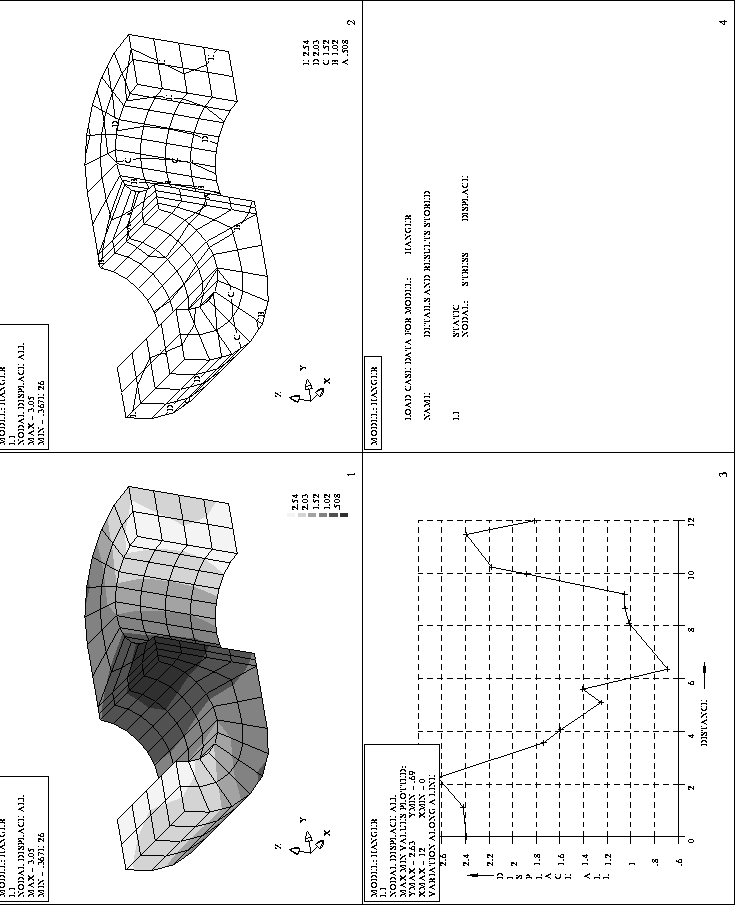
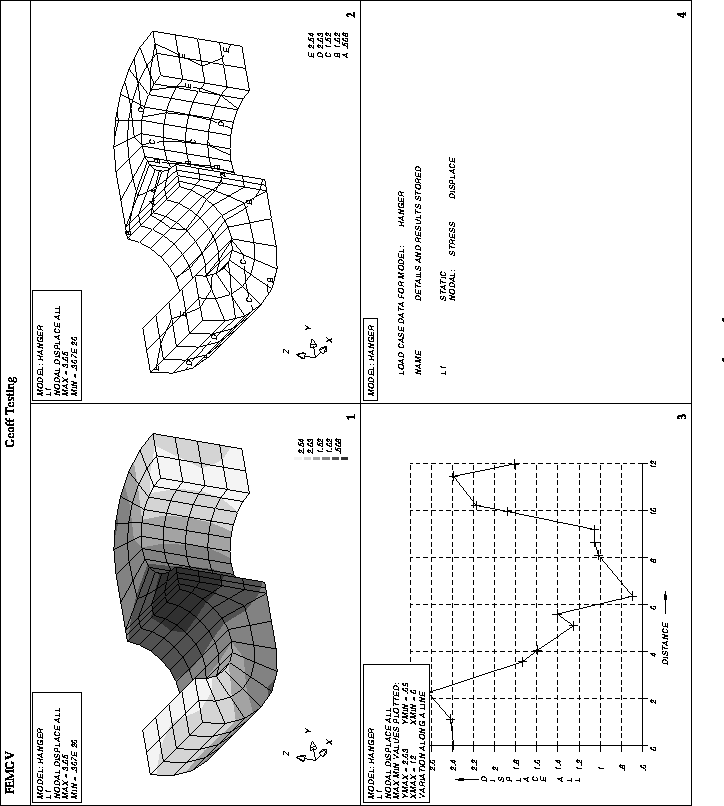
The following Postscript plot was produced twice, once using all of the default settings, and then using the following User Resource File:
Femsys.*.Postscript.SmallFont	:	Helvetica-Oblique
Femsys.*.Postscript.LargeFont	:	Palatino-Bold
Femsys.*.Postscript.TitleFont	:	ZapfChancery-MediumItalic
Femsys.*.Postscript.TitleFontSize	:	16
Femsys.*.Postscript.FontSize	:	12
Femsys.*.Postscript.SymbolScale	:	2.0
Femsys.*.Postscript.PageSize	:	210x297
Femsys.*.Postscript.PageMargins	:	19.05+19.05
Femsys.*.Postscript.PageSizeUnits :	mm
Femsys.*.Postscript.Orientation	:	Landscape
Femsys Limited